
Appearance
Hanging (flown) rigs
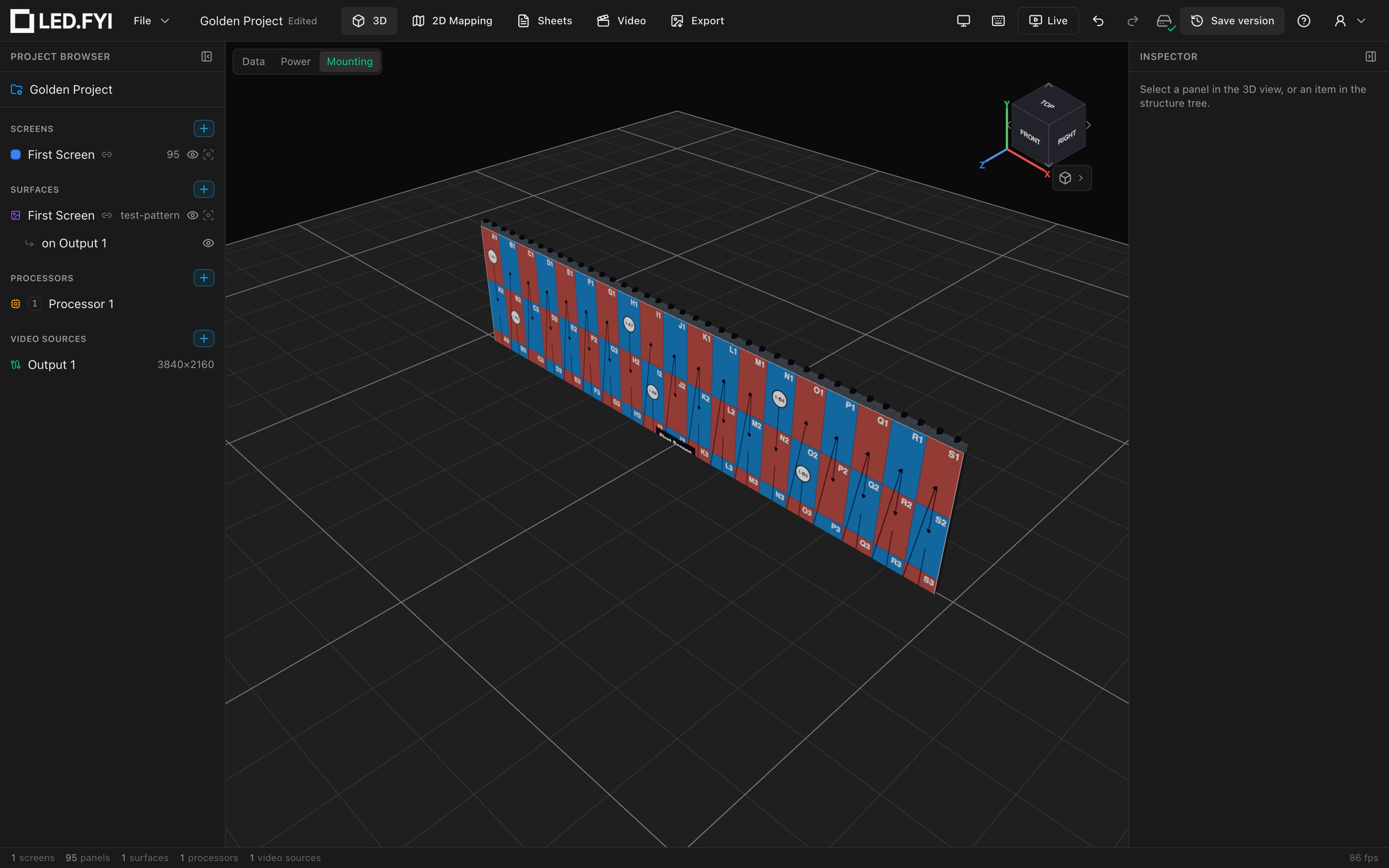
Set a screen's Inspector → Mounting → Mode to Hanging and LED.FYI builds a flown rig: hanging bars tiled along the top edge of the wall, each carrying two pickup clamps. Turn on the 3D Mounting overlay to see it on the wall.
How bars tile the top edge
The engine places bars greedily left to right at your preferred Bar span (1–4 panels) and fills any remainder with smaller bars so every column is covered:
| Screen width | Bar span | Result |
|---|---|---|
| 4 columns | 2 | 2w + 2w |
| 5 columns | 2 | 2w + 2w + 1w |
| 19 columns | 4 | four 4w bars + one 3w bar |
Each bar's cross-section equals your panel's depth, and the bar sits centered on the panel depth, flush with the top of the wall.
Drawn length vs. ordered length
In 3D each bar renders at 95% of its panel span so adjacent bars don't visually touch. The BOM always lists the nominal length (span × panel width in mm) because sourcing follows panel pitch, not the visual gap. The numbers on paper are the ordering truth.
Pickup points
Every bar gets two pickup clamps, at 1/4 and 3/4 of its length. They're modeled as standard 50 mm half-coupler clamshells (closed collar wrapping the bar, bolt ears, M12 threaded rod and wing nut) in the style of a Global Truss Pro-Clamp.
Pickup clamps are not separate BOM lines: they ship with their bars, so the parts list stays a clean per-bar count. (If a future branded bar carries its own 3D model, the drawn clamps are suppressed too; the manufacturer model is assumed to integrate them.)
Choosing a bar span
Wider bars mean fewer pickups and fewer motor points; 1-wide bars mean per-column rigging and the most flexibility. The generic kits let you pick freely from 1–4. Branded kits will be able to restrict the allowed span per screen size once they carry spacing rules.
Curved screens
On a curved screen the engine forces 1-wide bars (a rigid multi-panel bar can't stay flush across columns with different yaw angles), and each bar inherits its column's rotation, so the bars follow the arc in 3D and on the Top / Plan View sheet. This happens silently; the Bar span field keeps its value but the build uses 1-wide bars.
A curve set to 0° is a flat wall, and is treated as one: you keep your chosen bar span.
Bars follow the arc from the columns your panels actually sit on, so a wall with a disabled panel in it still gets curved bars: the hole costs you that panel, not the shape of the rig.
Corner panels
A corner panel column gets a folded hanging bar: one bar bent 90° around the corner, with a pickup clamp in the middle of each half. Bars never run across a corner; each straight stretch between corners is tiled at your Bar span on its own. A corner doesn't count as a curve, so a cornered wall keeps its wide bars.
Half panels
Row geometry uses the real height of every row, so a half-height top or bottom row moves the bars to the true top edge. Half-panel columns are not specially handled. A bar over a half column still follows that column's position, but its length, in 3D and on the BOM, assumes every column is a full panel wide. Size the bars at the end of a wall with a half column by hand.
What lands on the BOM
One line per bar size, quantity merged across all screens using the same description:
| Item | Qty | Detail |
|---|---|---|
2w hanging bar (1000 mm) | 6 | (SKU; blank for generic kits) |
1w hanging bar (500 mm) | 1 | |
90° corner hanging bar (500 mm) | 1 | (one per corner column; no SKU yet) |
The length in the description follows the drawing set's pinned distance units: a set pinned to inches lists 2w hanging bar (39-3/8"), in fractional inches to the nearest 1/16". The 2w is a count of panel widths, not a length, so it never converts.
See Mounting in 3D and on your paperwork for the full BOM and Weight Estimate story.