
Appearance
Wall mounting
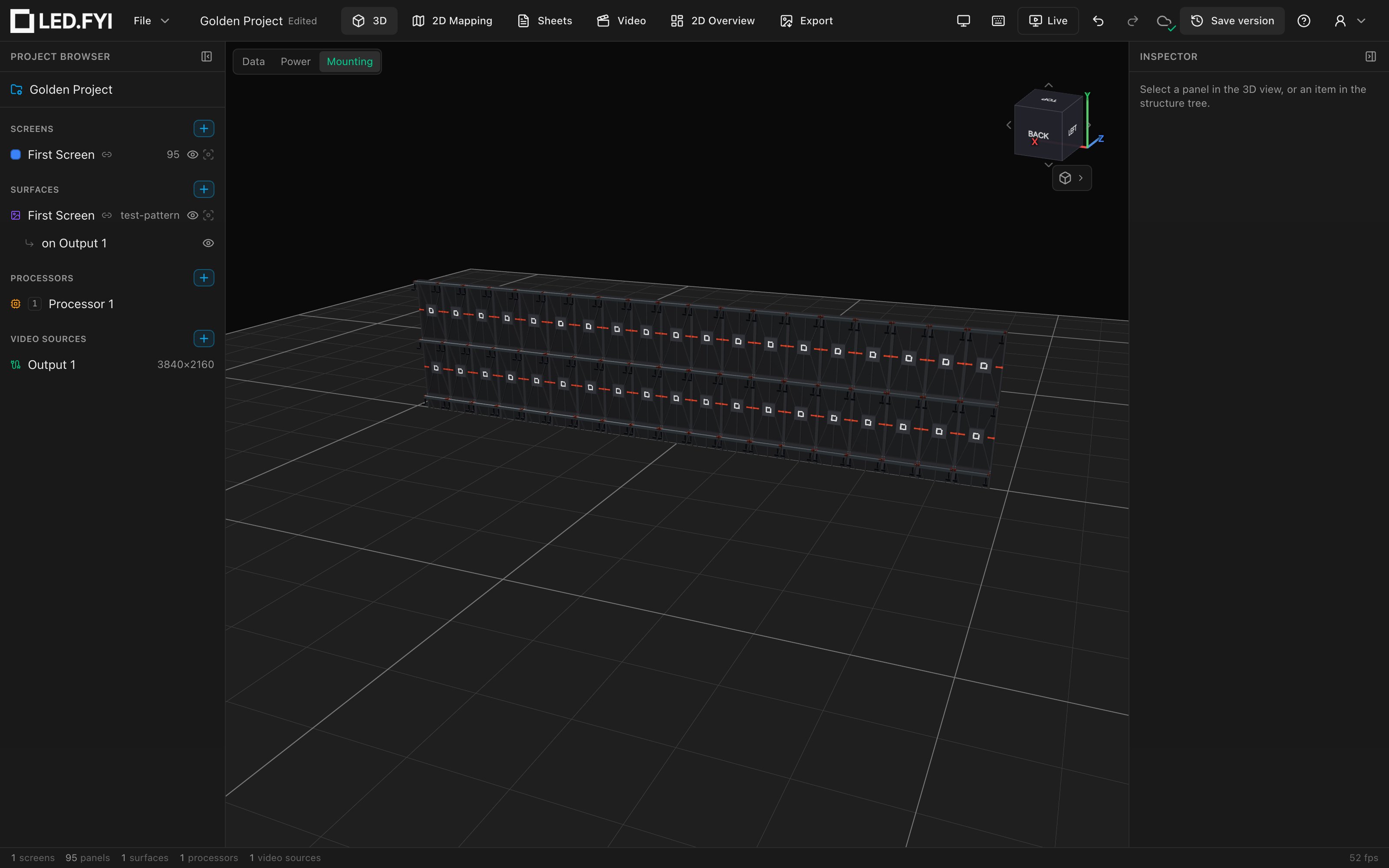
Set Inspector → Mounting → Mode to Wall mount and LED.FYI builds a fixed-installation rig: horizontal profile rails behind every panel row, L-bracket wall feet standing the rails off the building wall, and two hooks per panel hanging the panels on the rails.
Profile rails: one per row edge, plus one
Rails are 40 mm square extrusion (the classic "4040" profile). A rail run goes along each panel row's top edge, plus one extra run at the bottom row's bottom edge, so N rows always get N + 1 rail runs. A 5-row screen has 6 runs.
Within each run, rails tile left to right by your Bar span (1–4 panels), exactly like hanging bars: greedy fill, remainder covered by smaller rails, curved screens silently forced to 1-wide. Rails render at 95% of the panel span for a visual gap; the BOM lists the nominal length (span × panel width).
The rails sit 30 mm behind the panel backs, and the building wall plane is a further 60 mm behind the rails: the depth the wall feet bridge.
On a curved screen each rail, foot and hook takes its own column's rotation, so the rail run fans around the arc at a constant depth behind the panels instead of cutting across it. A disabled panel doesn't straighten the run; it only drops that panel's own pair of hooks. A curve set to 0° counts as a flat wall and keeps your chosen bar span.
Wall feet
Each rail gets two L-angle wall feet near its ends: an L-bracket bridging from the rail back to a plate on the building wall. Direction matters:
- Rails on a row's top edge get feet that drop down behind the panels.
- The extra rail at the bottom edge gets feet that rise up, so the bracket hides behind the bottom row instead of poking out below the wall.
Feet count as their own BOM line (they don't ship with the rails, unlike hanging pickups and stacking feet). If a future branded rail carries its own 3D model, the drawn feet are suppressed; the manufacturer part is assumed to integrate them.
Panel hooks
Every panel gets two over-the-rail corner hooks (a stem with a lip that drops over the rail), inset 25 mm from the panel's side edges at its top corners. In 3D they render in a rust-orange tone so they read against the aluminum rails. Hook count is always 2 × panels.
Half panels
Row geometry uses real per-row heights, so a half-height row places its rail runs and hooks at the true edges. Half-panel columns aren't specially handled: rail lengths, in 3D and on the BOM, assume every column is a full panel wide, and a half-column panel's hooks are placed as if it were full width. Check rails and hooks by hand where a wall has a half column.
What lands on the BOM
| Item | Qty rule |
|---|---|
1w wall mount profile (500 mm) etc. | One line per rail size |
Wall mount foot | Two per rail |
Panel hook | Two per panel |
Quantities merge across screens sharing a description; the Detail (SKU) column is blank for the generic kit. The length in the description follows the drawing set's pinned distance units (1w wall mount profile (19-11/16") on an imperial set; fractional inches, to the nearest 1/16"). See Mounting in 3D and on your paperwork.
No touring variant
Wall mount has no Touring Frame option; touring kits exist only for Hanging and Ground stack. See Mounting systems, touring frames & compatibility.