

Appearance
Screens & panels overview
A screen in LED.FYI is one LED wall: a grid of panels attached to a processor, with its own panel type, wiring settings, power configuration, mounting, and (optionally) a video feed. A panel is one cabinet in that grid, and every panel is individually selectable, editable, and overridable when the real wall demands it.
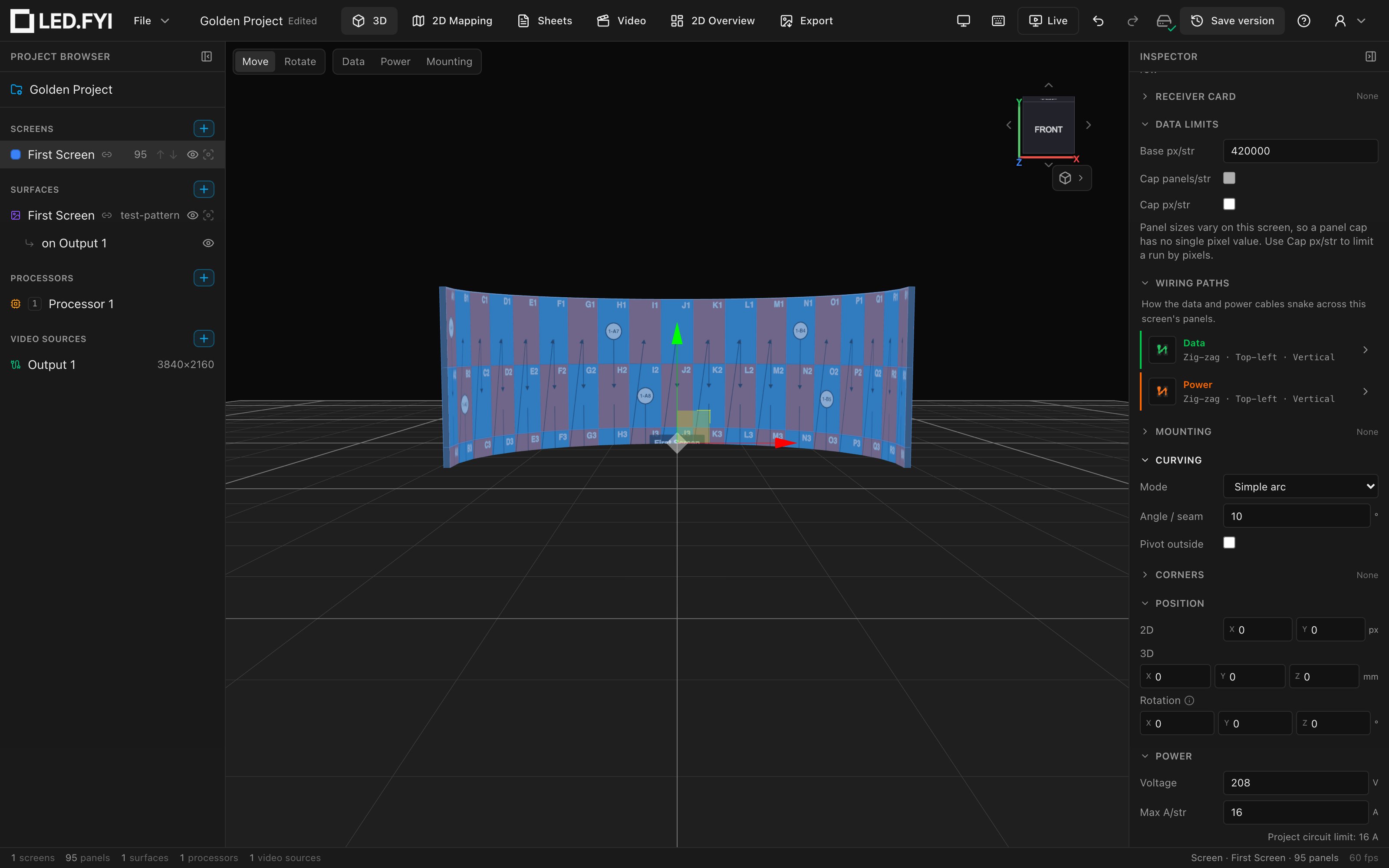
Everything about a screen is edited in the Inspector (the right-hand rail) after selecting the screen in the left sidebar or in any workbench. Every change is a single undoable step, and the 3D view, 2D mapping, Sheets, and the bill of materials all update live from the same edit.
What's in this section
| Page | Covers |
|---|---|
| Adding & managing screens | Creating screens, name & color, grid dimensions, position & rotation, show/hide & isolate, duplicate & delete |
| Panel types & picking a panel | Choosing a real product from the library, what it drives, editing a custom panel spec, the datasheet read-outs |
| Panel layout, selection & overrides | Selecting panels, disabling cells for irregular shapes, per-panel size/wattage overrides, position locks, the right-click menu |
| Half panels & blank panels | Half-height edge rows (top, bottom or both), half-width edge columns, the corner cabinets where they meet, and blank spacer rows |
| Panel shapes | The eight shaped corner variants (triangles and round corners) on library and custom panels |
| Screen curving | Simple arcs and compound per-column curves, panel-type curve limits |
| Corner panels | 90° outside corner panels: bending a whole column so the wall wraps a corner, and how they show on paper |
| Feeding screens video: links & slices | Linking a surface to a screen, automatic per-processor slices, cutting a screen's picture into slices, and splitting free placements |
| Per-screen power & string limits | Voltage & amps, wattage overrides, string limits, the safety buffer, circuit numbering, the data-side limits, and the computed wiring read-outs |
Related sections
- Splitting one screen across several processors is covered in Multi-processor screens.
- Data strings, power strings, and circuits (the wiring the screen's settings feed) live in Wiring & power.
- Rigging a screen (hanging, ground stack, wall mount) is covered in Mounting & rigging.
- Authoring a full custom panel datasheet from scratch is covered in Creating custom equipment.